Available in: Axsy Mobile for Salesforce, Axsy Field Service, Axsy Public Sector, Axsy Retail Execution
It is possible to calculate SUM and COUNT totals for the accumulation of a specific Element in a Loop. For more information on Loop Elements, please see this article: Configuring Loops
Elements that come after a Loop Element can make use of these roll-up calculations in their formulas by using the following syntax: SUM(ElementName[]) and COUNT(ElementName[]), where ElementName refers to an Element encapsulated by a Loop Element that needs to be summed or counted - Don't forget the square brackets []!
It should also be noted that these formulas only work with specific Element Types:
- SUM works only with Numeric Elements
- COUNT works with Text, Numeric, Picklist and Date Elements
Example Roll-Up Formulas
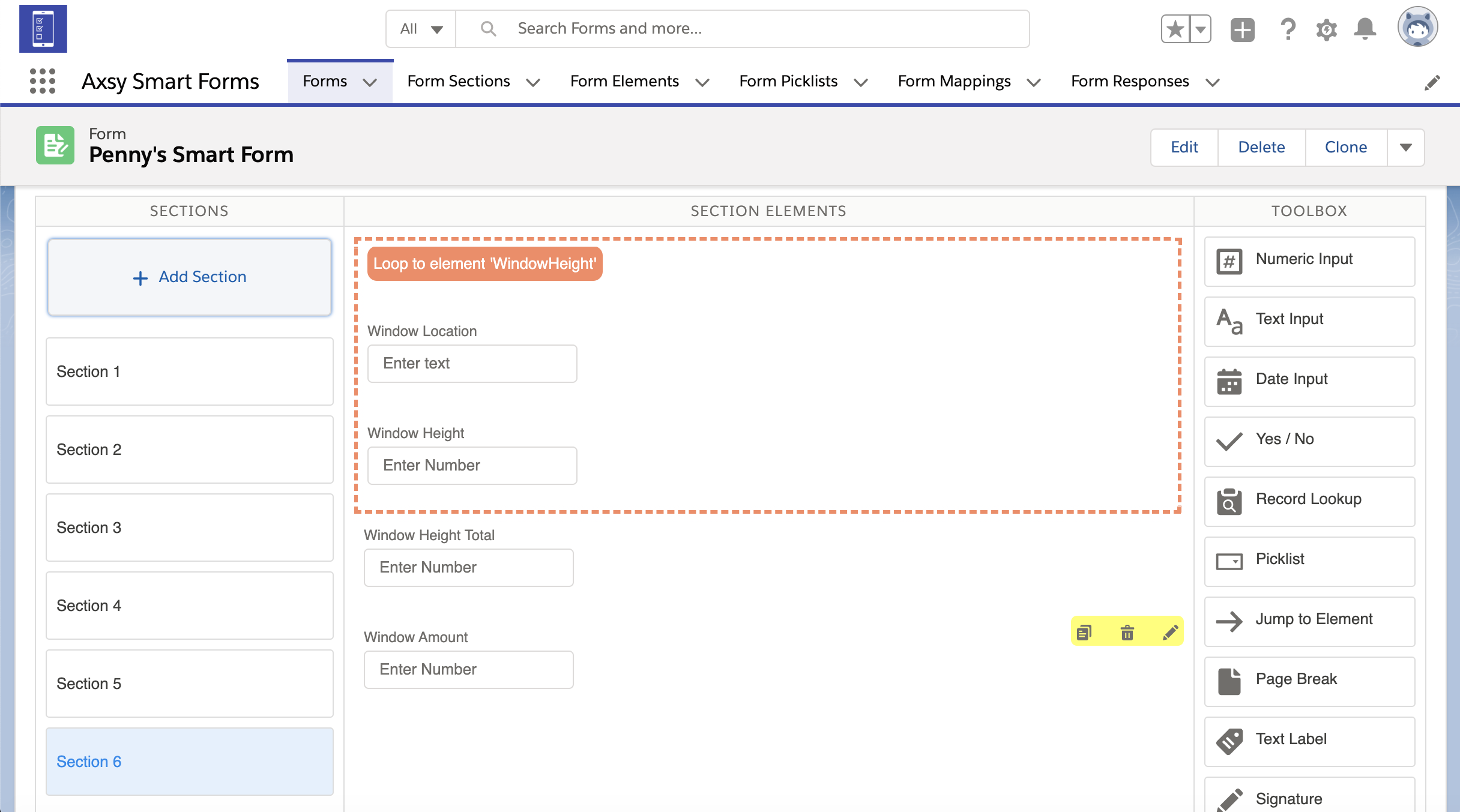
Here is a Loop about windows. This example Form includes:
- Two Elements within the Loop that contain the window height and location: WindowHeight and WindowLocation.
- Two Elements outside of the Loop for calculating the total number of windows and total height of all of the windows: TotalWindowCount and TotalWindowHeight.
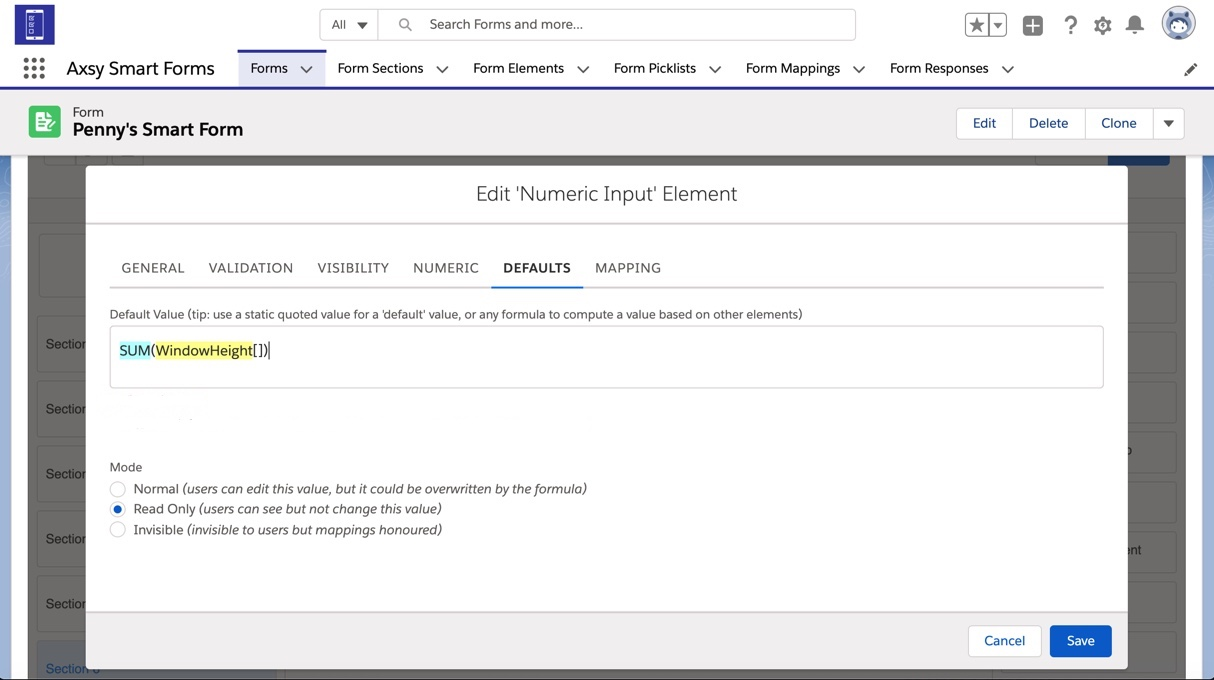
To find the total SUM of the height of the windows, you can use a formula for the Default Value of the TotalWindowHeight Element and reference the WindowHeight Element field encapsulated by the Loop Element. Use the Formula: SUM(WindowHeight[]) to add up all the values entered in the WindowHeight Element field for all loop iterations and populate a total.
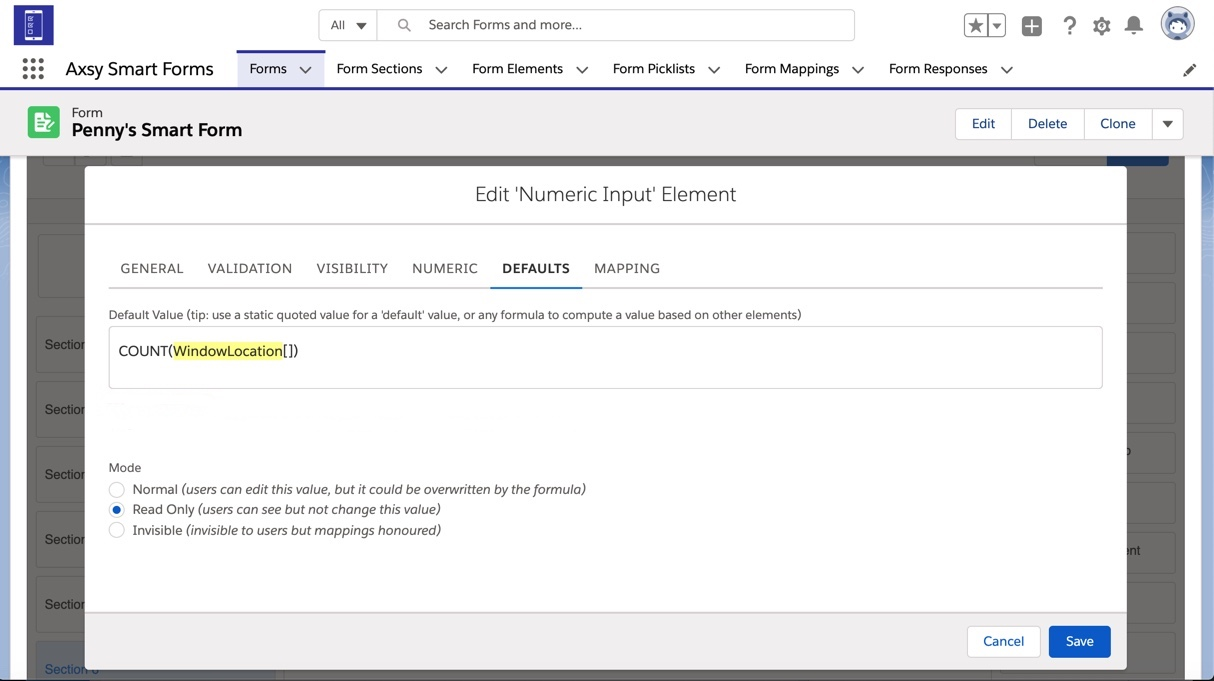
You can find the total COUNT of the amount of windows data that has been recorded for by referencing any of the elements within the Loop. Use the formula: COUNT(WindowLocation[]) to count the number of times WindowLocation has been displayed in the Loop and populate how many windows there are in total.
Was this article helpful?
That’s Great!
Thank you for your feedback
Sorry! We couldn't be helpful
Thank you for your feedback
Feedback sent
We appreciate your effort and will try to fix the article