The Axsy Mobile App supports record pages being opened from a dashboard widget. This provides a quick way to view a given record while viewing a Dashboard. The supported widgets are label-value widgets, and table widgets.
Please see this article for more information on creating Dashboards in Axsy Mobile: Dashboards on Any Object
Note: This article covers opening a record page from label-value, and table widgets. For details on how to configure a record list widget, see this article: Axsy Dashboards
Configuring a Record Button
In order to launch a record page from a dashboard, you must first configure a record button on a supported widget. To configure a record button, the label must follow the following pattern:
Axsy_Record_Button/{icon}/{label}/{size}
| Variable | Description | Example |
| icon | This is the icon that is displayed in the value field of the widget. This is taken from the ion-icon library. | information-circle |
| label | This is the label value. For a label-value widget this is displayed above the icon. For a table widget, this is the column header. | View Record |
| size | Optional: Controls if the record page is shown in fullscreen, or opens in a smaller window. The supported values are "fullscreen", and "halfscreen". If left blank, the record page will shown in fullscreen. | halfscreen |
NOTE: The record page that is opened is controlled by the Flow Variable provided by the dashboard Flow. This should be the ID of the record that should be opened.
When a record page has been closed, the dashboard will refresh to show any updates to data.
Example Record Button
To configure a record button with a label of "View Details", with an information circle icon as a button, that shows in a smaller window on the Axsy Mobile app, the label used would be:
Axsy_Record_Button/information-circle-outline/View Details/halfscreen
Figure 1 shows the record page being launched from an Account record in the Axsy Mobile app, to view a Contact record.
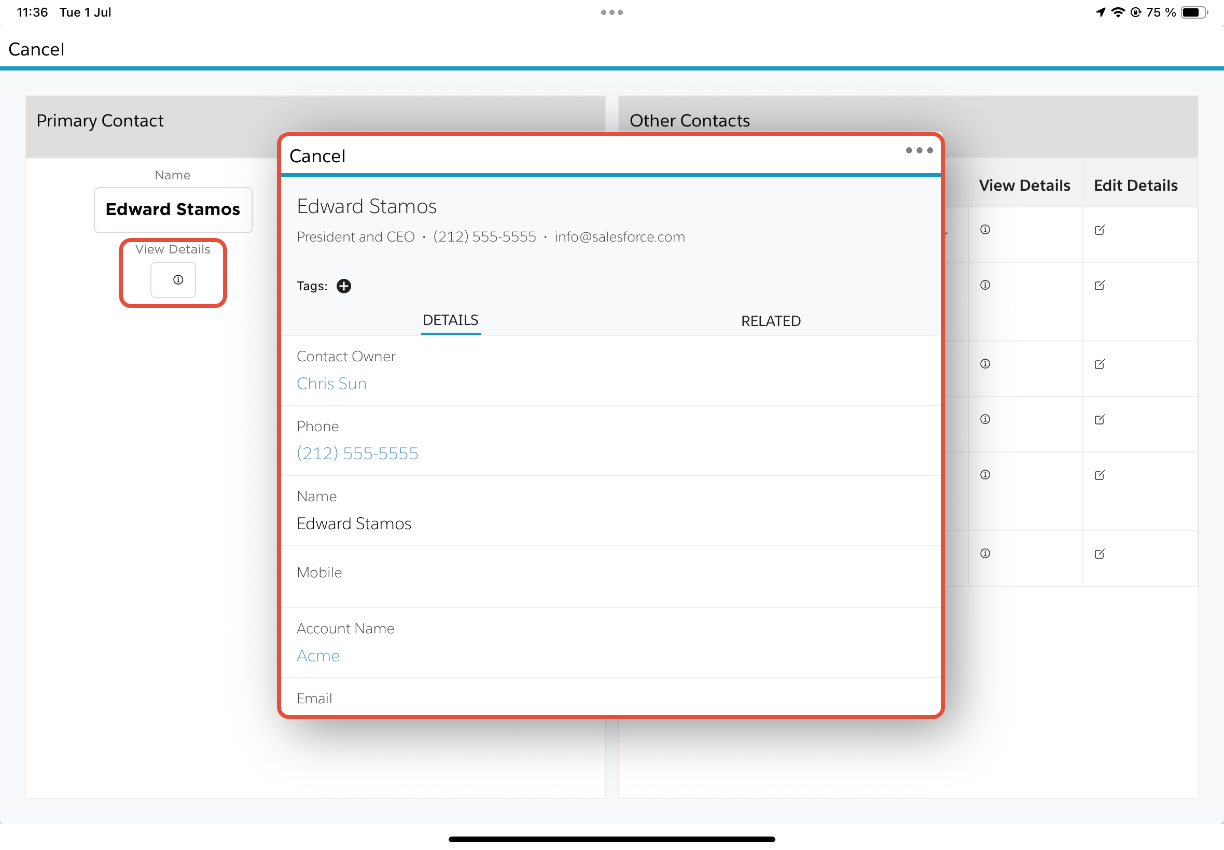
Figure 1 - Example Record Page launched from an Axsy Dashboard
Was this article helpful?
That’s Great!
Thank you for your feedback
Sorry! We couldn't be helpful
Thank you for your feedback
Feedback sent
We appreciate your effort and will try to fix the article